
Our recommendations
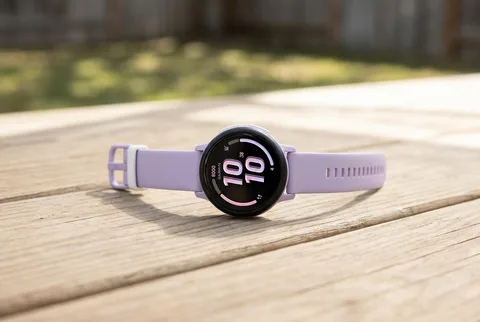
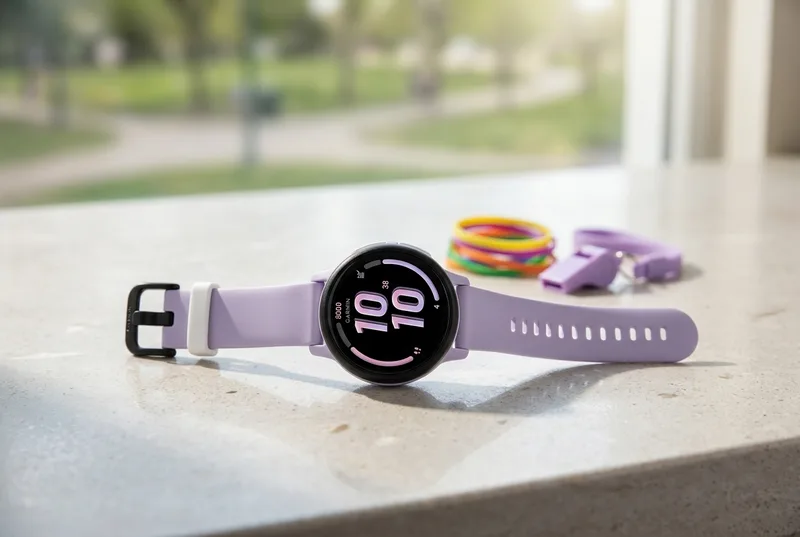
Garmin Bounce 2 Kids' Smartwatch (Light Purple)
The Bounce 2 combines location, step and sleep tracking with calls, custom keyboard texts and voice messages. It has built-in apps and voice commands, but no camera or video calls.
Check price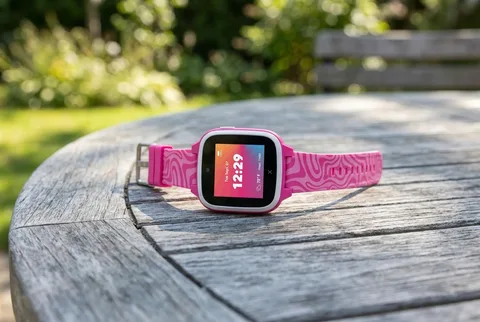
XPLORA XGO3 Kids Smartwatch (Pink Zebra)
The XGO3 covers calls and location at the budget end of XPLORA’s range. It also has a 2MP camera and step rewards, with no web browser or social media.
Check priceWorth knowing.
- In an r/AskUK thread on kids’ tracking watches, XPLORA owners describe batteries dying by evening and the occasional SIM or screen fault.
- It’s XPLORA’s budget model, priced for families on a tighter budget.
- During class hours, school mode silences it on its own.
Community discussions: r/AskUK
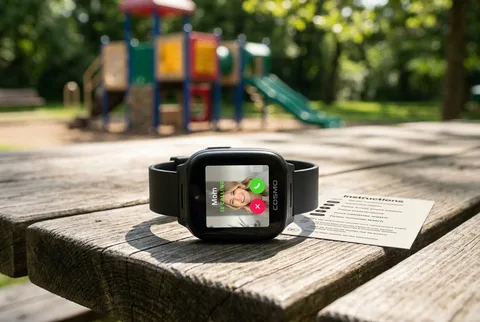
Cosmo JrTrack 5 Kids Smart Watch
The JrTrack 5 limits calls and messages to approved contacts and includes SOS alerts. It also has a photo and video camera, so it is not a camera-free choice.
Check priceWorth knowing.
- Owners on r/smartwatch like that texts are real SMS, not messages stuck inside an app.
- The same owners report location updates stalling for hours, and calls or texts that won’t go through until the watch is restarted.
- Calls and texts only go to and from contacts you’ve approved.
Community discussions: r/smartwatch
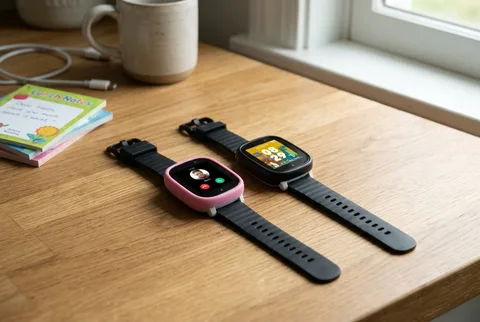
XPLORA X6 Play Kids Smartwatch
The X6 Play has a 5MP camera, a larger screen and step rewards. Parents manage contacts and school mode, while open internet browsing and social media stay out.
Check priceThe shortlist
| Pick | Best for | Skip it if |
|---|---|---|
| Top Pick for Active KidsGarmin Bounce 2 Kids' Smartwatch (Light Purple) | Steps and sleep, plus location | Wants video calling |
| Best Budget PickXPLORA XGO3 Kids Smartwatch (Pink Zebra) | Cheap calls and location | Wants video calls or sharper photos |
| Best for Safety-First ParentsCosmo JrTrack 5 Kids Smart Watch | Locked contacts, SOS alerts | Needs a different carrier |
| Best for Photos and RewardsXPLORA X6 Play Kids Smartwatch | Photos and step rewards | Wants no games or camera |
Plans, coverage and parent-phone setup
The watch price is only the start. These US service terms were checked on November 6, 2026. Check the current quote and coverage where your child will use it before paying.
What each watch needs
- Garmin Bounce 2
- Pair the watch with Garmin Jr. on a parent’s phone and activate a Garmin LTE subscription. Calls, messages and LiveTrack need active service and an LTE connection. Check Garmin’s Bounce 2 coverage map and the current subscription price in the app before buying.
- Xplora XGO3 and X6 Play
- Activate the included Xplora Connect SIM online, then pair the watch in the Xplora app. The US plan page lists $12 a month or $120 a year plus tax, with no activation or cancellation fee. Location accuracy and update timing can vary with mobile coverage, GPS and Wi-Fi conditions.
- Cosmo JrTrack 5
- Activate Cosmo Mobile and pair the watch with the Cosmo parent app. You can’t add it to an existing Verizon or AT&T plan. Cosmo lists a $14.99 activation fee; its $9.99 monthly equivalent requires $239.76 paid up front for two years. Check the month-to-month quote at activation. Calling covers the US, Canada and Mexico; texting covers the US and Canada.
Before you activate
- Check service at home, school and regular pickup spots. A coverage map is a starting check, not a guarantee that every call or location update will work.
- Add the service commitment and activation fee to the watch price. A prepaid monthly equivalent is not a month-to-month bill.
- Check your parent phone’s app requirements and school rules. JrTrack 5 and JrTrack 5 SE are separate models, so match the listing and condition to the watch you intend to buy.
How I narrowed it down
- Read each maker’s battery claims, then owner threads, where the Bounce 2 and the XPLORA watches come up for near-daily charging.
- Garmin Bounce 2, XPLORA XGO3, Cosmo JrTrack 5 and XPLORA X6 Play: checked the age guidance and how far each band adjusts.
- Checked water ratings, since these stay on through recess and splash pads. The Bounce 2 is rated to wear in the pool.
- Read each brand’s subscription requirements and activation fees.
- Confirmed that none of the four works as a fully open smartphone. Every one has parent controls.
I'm Matt, a dad of two boys. If we've used something at home, the card says personally tested. The rest I read up on. I keep a weekly list of kids' product recalls. How I pick.
Sources
- Target - Garmin Bounce 2 Kids' Smartwatch.Accessed August 23, 2026
- XPLORA - XGO3 Kids Smartwatch.Accessed October 6, 2026
- Cosmo — JrTrack 5 setup and SOS instructions.Accessed November 6, 2026
- XPLORA - X6 Play Kids Smartwatch.Accessed October 6, 2026
- r/Garmin owner discussion — Bounce 2 daily use.Accessed August 23, 2026
- r/smartwatch owner discussion — JrTrack 5 reliability.Accessed August 23, 2026
- r/AskUK owner discussion — kids' tracking watches.Accessed August 23, 2026
- Garmin — Bounce 2 Messages from the Watch.Accessed October 6, 2026
- Garmin — Bounce 2 Changing the Default Watch Keyboard.Accessed October 6, 2026
- Garmin — Bounce 2 Using Voice Commands.Accessed October 6, 2026
- Garmin — Bounce 2 parent-phone pairing.Accessed November 6, 2026
- Garmin — Bounce 2 LTE-connected features.Accessed November 6, 2026
- Garmin — Bounce 2 plans and coverage reference.Accessed November 6, 2026
- Xplora — US Connect plan and activation.Accessed November 6, 2026
- Cosmo — JrTrack mobile plans and coverage.Accessed November 6, 2026
- Cosmo — JrTrack 5 service requirements.Accessed November 6, 2026